Sfera
A downloadable tool for Windows
Don't want to show your face on stream? Let Sfera talk for you.
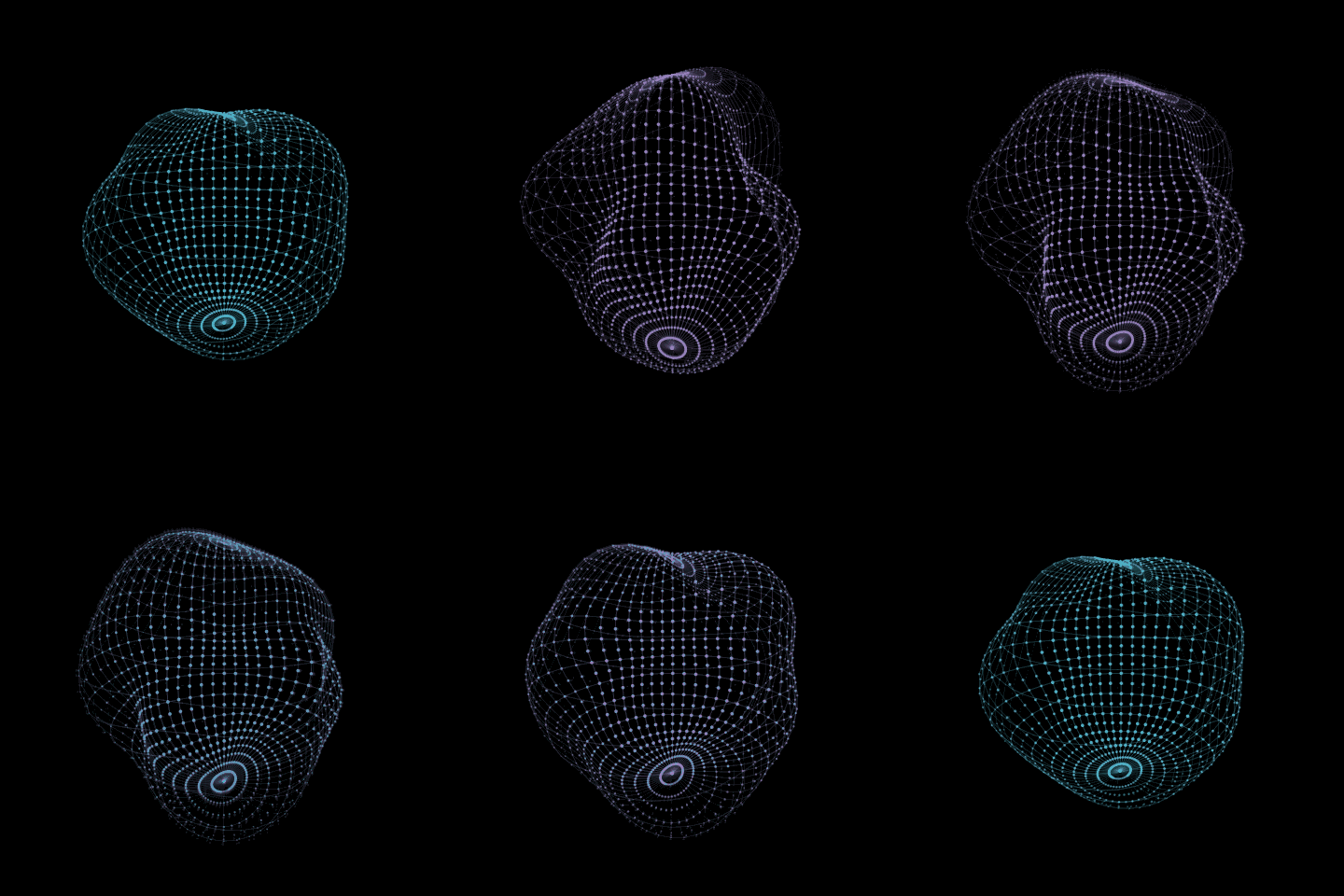
Sfera is a 3D wireframe sphere that breathes, ripples and swells as you speak. It listens to your microphone and moves in time with your syllables: no webcam, no face tracking, no model to draw or rig. Open it, pick your mic, capture it in OBS.
What it does
- Reacts to your voice in real time, and calms down when you're quiet
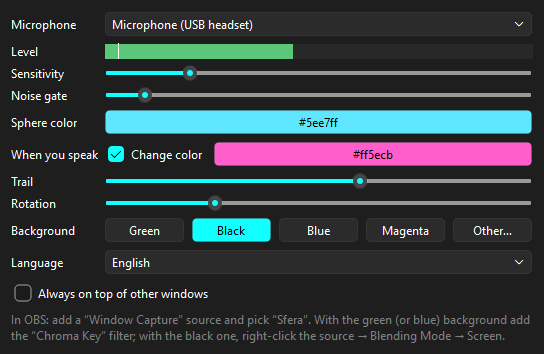
- Noise gate and sensitivity with a live level meter, so you can tune it without guessing
- Green or black background, ready for OBS (Chroma Key, or the Screen blending mode)
- Resizable window: the sphere scales with it. Optional "always on top"
- English and Italian interface
- Nothing is recorded: Sfera only measures how loud you are. No account, no internet connection
Full version
- No watermark
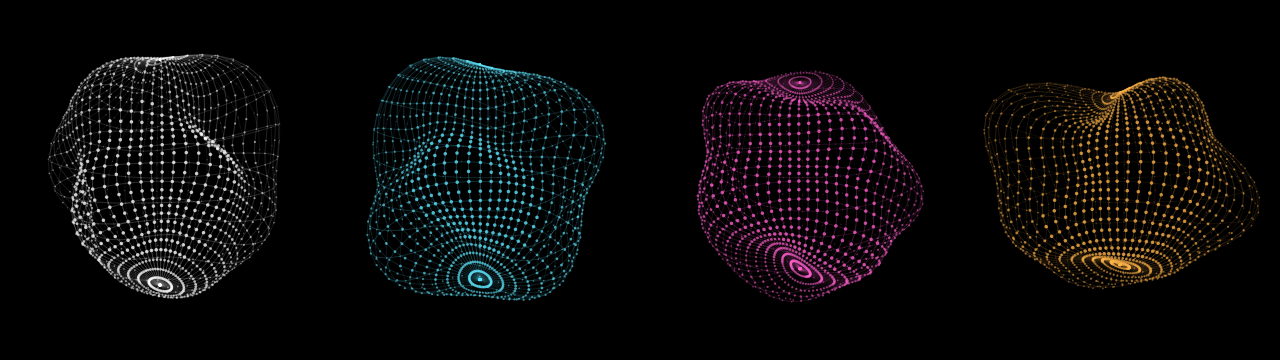
- Any color for the sphere and the background
- A second color the sphere shifts to while you speak
- Adjustable trail and rotation speed
Try it first: the free demo below has a white sphere, a green or black background and a small "Sfera Free" watermark. If it works for you, get the full version: your settings carry over, and OBS finds the window again.
Set it up in OBS
- Open Sfera.exe and choose your microphone.
- In OBS: Sources → + → Window Capture → "[Sfera.exe]: Sfera".
- Green background: add the Chroma Key filter. Black background: right-click the source → Blending Mode → Screen (not “Blending Method”).
Requirements
Windows 10 or 11 (64-bit) and a microphone.
Windows may show "Windows protected your PC" the first time, because Sfera is new and not code-signed yet. Click "More info", then "Run anyway".
Purchase
In order to download this tool you must purchase it at or above the minimum price of $4.99 USD. You will get access to the following files:
Download demo
Leave a comment
Log in with itch.io to leave a comment.